Home | Display
Licensing & Registration
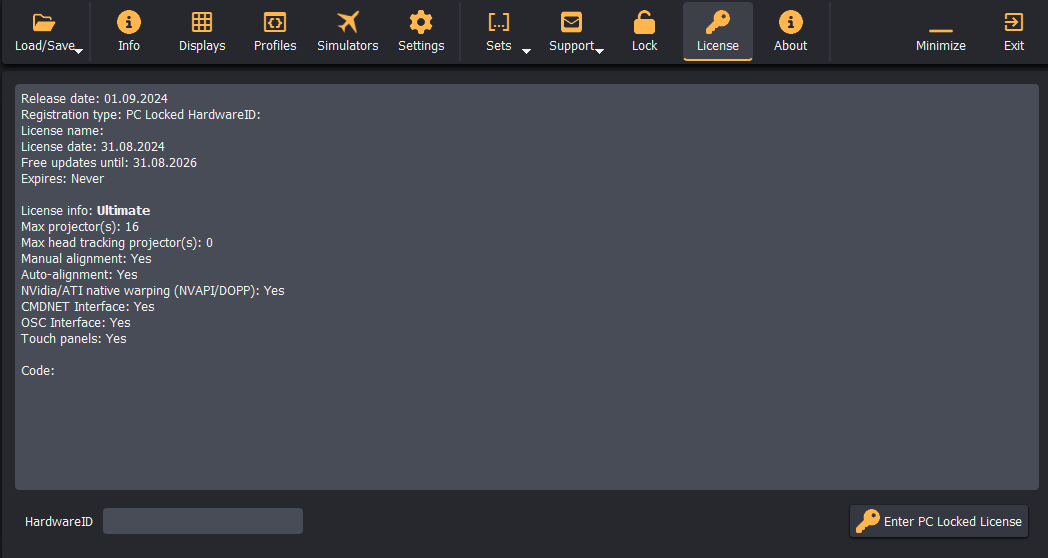
Immersive Display PRO is distributed on a try-before-you-buy evaluation model. The evaluation version offers full functionality for 30 days and displays an "Unregistered Version" watermark across projected outputs. Activating a valid license key removes the watermark permanently.
License Editions & Types
1. Delivery Options
- PC-Locked License: Tied to the specific hardware components of the host PC. The software generates a unique
HardwareID. If a single hardware component is upgraded, the license can be updated. Complete system replacements require a new license. - USB Dongle License: Stored on a physical USB hardware security key. The software runs on any PC as long as the USB key is plugged in. Recommended for systems with frequent hardware upgrades or portable setups.
2. Usage Tiers
- Home-User License: For private, non-commercial entertainment use where no financial compensation is received. Available in both PC-Locked and USB Dongle configurations.
- Commercial License: Required for commercial operations, training centers, commercial simulators, resellers, and AV system integrators. Must be purchased as a USB Dongle License; commercial licenses are not offered as PC-locked keys.
- Ultimate Edition: Unlocks automated camera-assisted calibration import (
.procalib), NVAPI/DOPP native GPU warping, OSC control, MQTT communication, and Web Touch Panel services.
License Validity & Support Period
Licenses are perpetual and remain valid indefinitely for the purchased version.
- Included Updates: Includes 2 years of free software updates and technical support from the date of purchase.
- Maintenance Renewal: When the 2-year term expires, systems may remain on their current version or extend maintenance with an Updates & Support package for 40% of the standard license cost.
Activating a PC-Locked License
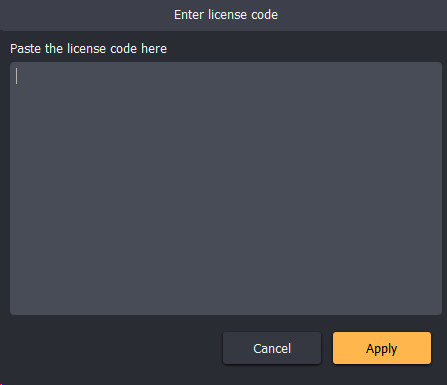
- Open Immersive Display PRO and click the License tab on the top menu bar.
- Locate the unique HardwareID string at the bottom-left of the window.
- Copy and email your HardwareID to Fly Elise-ng to receive your activation key.
- Click Enter PC Locked License.
- Paste the complete alphanumeric license string into the text field and click Apply.
- Restart Immersive Display PRO to activate the license and clear the evaluation watermark.