Home | Display
Immersive Display PRO
Immersive Display PRO is Fly Elise-ng's advanced geometric correction (warping) and soft-edge blending software package for DirectX, OpenGL, Vulkan, and Windows 7, 8, 8.1, 10, and 11 Desktops. It enables seamless multi-projector displays on flat, curved (cylindrical), full/partial dome, and arbitrary irregular projection surfaces.
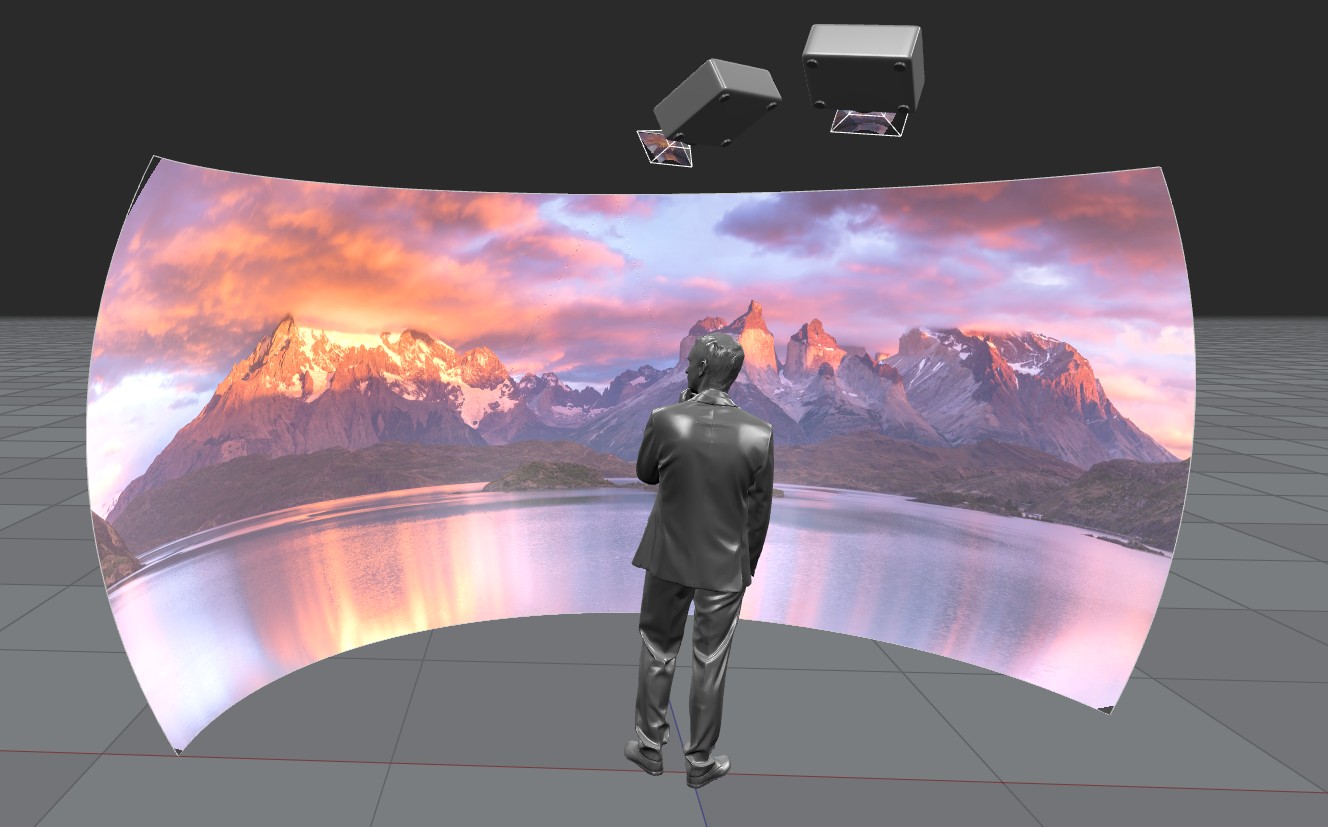
The software supports up to 16 projectors per PC in custom horizontal and vertical grid topologies, integrating desktop-wide warping and full-screen 3D simulation warping.
Key Capabilities
- Multi-Projector Blending: Supports horizontal and vertical stacking for up to 16 projectors per computer.
- Independent Warping Engines: Seamlessly warps the native Windows Desktop (DWM) as well as windowed and full-screen games/simulations running on DirectX (DX9, DX10, DX11, DX12), OpenGL, and Vulkan.
- Camera-Assisted Integration: Directly loads
.procalibcalibration files generated by Immersive Calibration PRO for automated alignment. - Hardware-Accelerated Modes: Native support for NVIDIA NVAPI (Quadro/Mosaic) and AMD/ATI DOPP (FirePro) workstation pipelines.
- Flight Sim Integrations: Multi-perspective view correction for Microsoft Flight Simulator (MSFS 2020 / MSFS 2024), Lockheed Martin Prepar3D, Laminar Research X-Plane, and DCS World.
- Automation & Show Control: Remote headless operation via CMDNET (TCP text protocol), OSC (Open Sound Control), MQTT, and custom HTML5 touch panels.
System Requirements
| Component | Minimum Specification | Recommended / Multi-Display Specification |
|---|---|---|
| Processor | 2.0 GHz or higher (64-bit) | Multi-core Intel Core i7/i9 or AMD Ryzen |
| Operating System | Windows 7 / 8 / 10 / 11 (64-bit) | Windows 10 / 11 (64-bit) |
| RAM | 2 GB minimum | 16 GB or higher |
| Graphics Card | Dedicated NVIDIA or AMD GPU | NVIDIA RTX / Quadro or AMD Radeon / FirePro |
| Display Spanning | Windows Extended Desktop | NVIDIA Surround / Mosaic, AMD Eyefinity, or Matrox DualHead/TripleHead2Go |
| Webcam (Optional) | Logitech C920 or Webcam Pro 9000 | High-resolution webcam for automated camera calibration |
DirectX End-User Runtime
Immersive Display PRO relies heavily on DirectX runtimes. The standalone DirectX End-User Runtime installer must be installed on the system. The web installer is bundled with the application setup package.
Installation & First Run
- Prerequisites: Ensure all target displays and projectors are connected, turned on, and configured in Windows Display Settings or GPU Control Panel (Surround/Mosaic/Eyefinity).
- Execute Installer: Run the setup executable with Administrator privileges. The installer checks if an older instance is running or installed and prompts for uninstallation if needed.
- Reboot: Restart the computer after installation completes to finalize system driver integration.
- Permissions: Administrator privileges are required to install, but not required to execute the software daily.
Quick Setup Workflow
- Assign Projectors: On the Displays tab, click your detected display and choose the projector layout (e.g.,
3x1,2x2, orExternal calibration). - Launch Alignment: Click Configure alignment (or press
F3) to enter the full-screen interactive calibration window. - Geometric Correction: Drag the green grid control points until the projection fits the screen curvature without geometric distortion.
- Edge Blending: Press
F10to switch to Edge Blending mode. Drag the red control points on the overlapping boundaries to calibrate the blend overlap and fade ramp. - Exit and Commit: Press
Escto exit calibration. Click Load/Save to persist the configuration to disk. - Enable Warping: Click Enable Desktop warping on the bottom status bar to apply corrections globally across the Windows environment.
Old User Guide
Download and check Old Immersive Display PRO User Guide.