Home | Designer
Quick start
Upon startup Immersive Designer PRO presents a welcome screen with quick-start options.
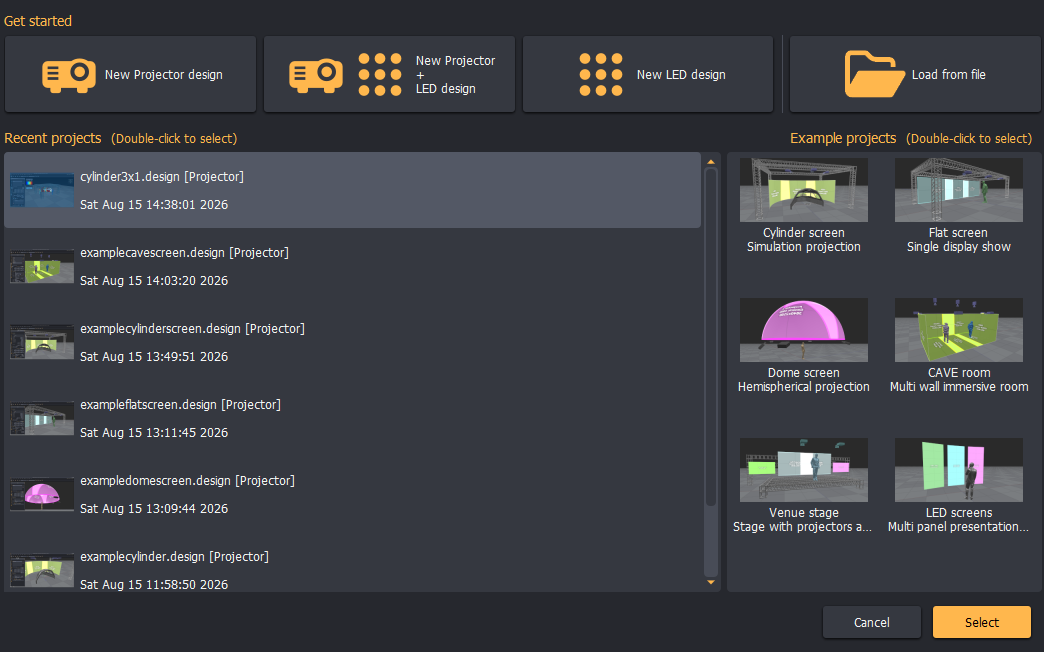
Select one of:
- Start a new projector and/or LED panel design project.
- Load a project file.
- Select one of the recently edited projects.
- Select one of the quick-start example projects.
After selecting one of the startup options, the Main window will open.
Design workflow
A typical design session follows this flow:
-
Choose or import a screen shape from the Screens menu.
-
Add projectors and position them around the screen.
-
Add other objects and verify their impact on the projection.
-
Validate the design with the analyze module.
-
Create a PDF report with the PDF report module.