Home | Designer | LED panels
LED panels
LED panels are the first-class citizens in Immersive Designer PRO.
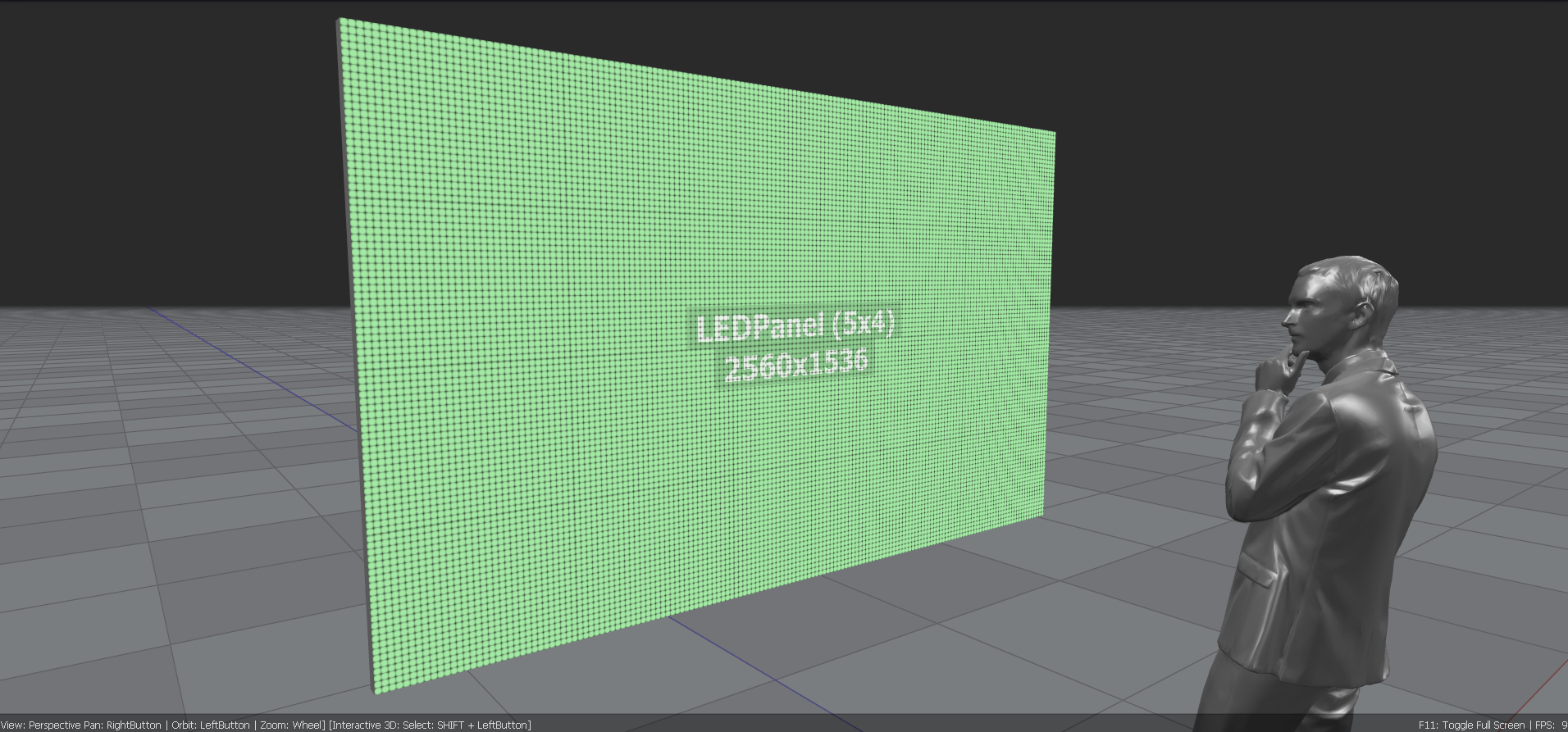
LED modules
Each LED panel can be composed of one or more modules. Each module is defined by its size and resolution, as specified in the module's technical sheet. This determines the module's pixel pitch and the recommended viewing distance.
Modules can be combined in a matrix of rows and columns to form the LED panel. The number of horizontal and vertical modules defines the size of the LED panel.
Some LED modules can be mounted at an angle, enabling curved LED panels. The software allows you to specify a curved mounting by setting the mounting angle between adjacent modules.
Image sources
Each LED panel can be connected to one of the supported image content sources:
- Internal identity image
- Image processor
- Still image
- Video file
- Spout dynamic content
- NDI dynamic content
For the image processor, an offset can be defined to sample the image from the image processor.
Configuration
The LED control panel is the main configuration panel for adding, removing, and configuring LED panels in the 3D scene.
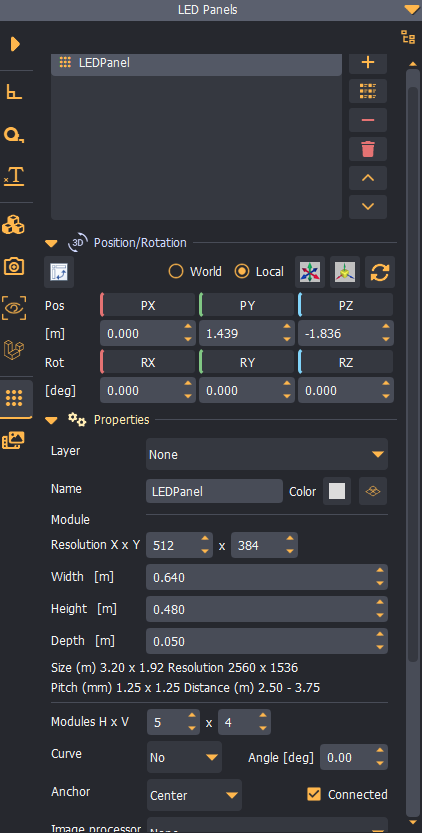
Typical LED panels workflow
- Add a new LED panel.
- Define the LED module size and resolution.
- Define the LED module matrix (rows and columns).
- Define the angle between the LED modules (if any).
- Position the LED panel in the scene.