Home | Designer | Analyze
Perspective Usage Analyze module
The Perspective Usage analyze module calculates projector pixel usage when perspective views are applied, as commonly seen in simulator setups utilizing multi-view calibration files. Perspective views are generated from a specific eye-point.
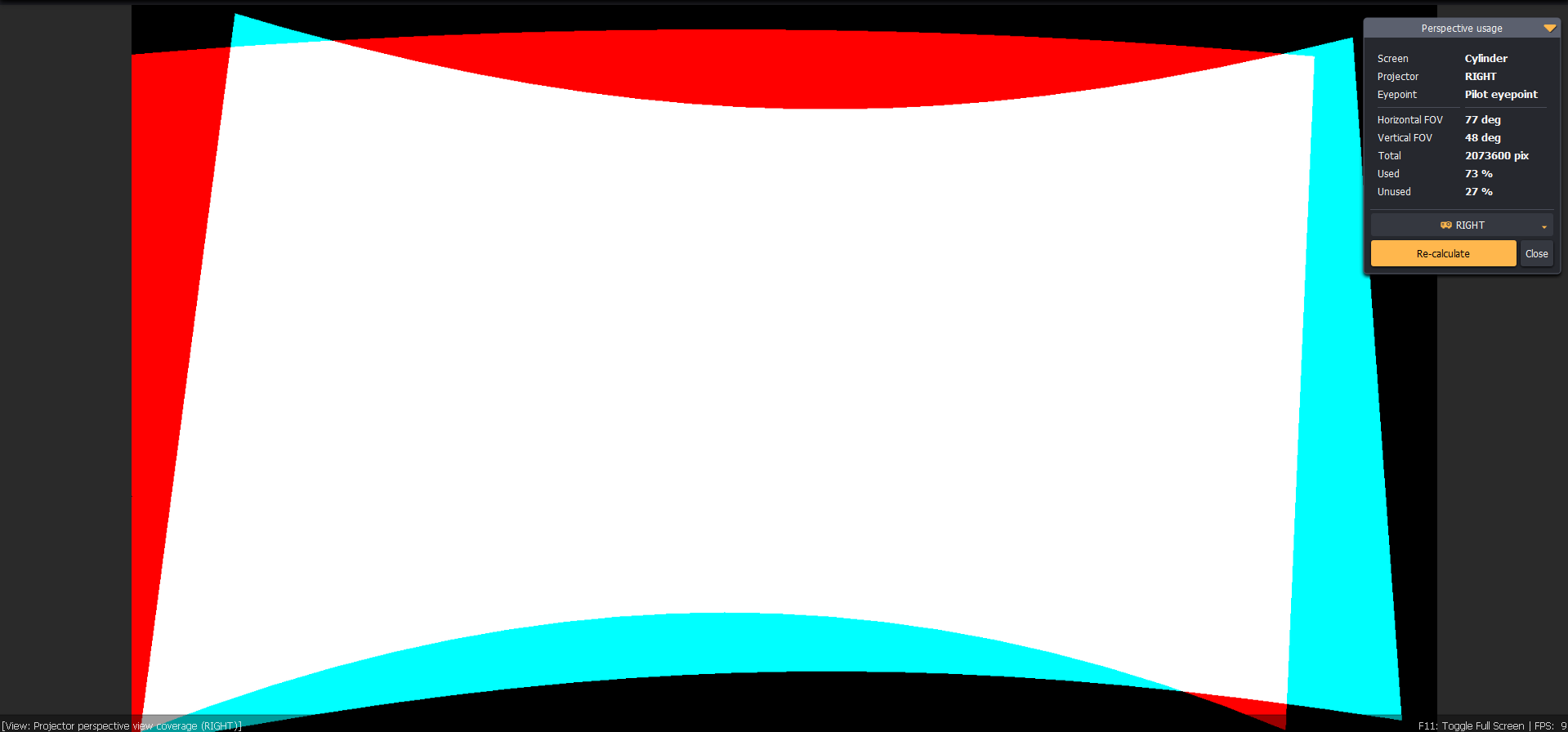
This analysis illustrates effective pixel utilization when the original perspective image is warped for perfectly geometrically accurate views. The white area represents fully utilized projector pixels, while the red area indicates unused pixels that fall outside the projection screen due to image deformation. Cyan pixels are partially utilized, as they are compressed to fit onto the projection screen.
To optimize projector pixel usage and minimize unused pixels (red area), pay careful attention to the projection setup design, the screen, and the eye-point positioning.
Ultimate License
Ultimate License is required for the Perspective Usage analyze module.