Home | Designer
Welcome to Immersive Designer PRO
Multi-projector and LED panels designs
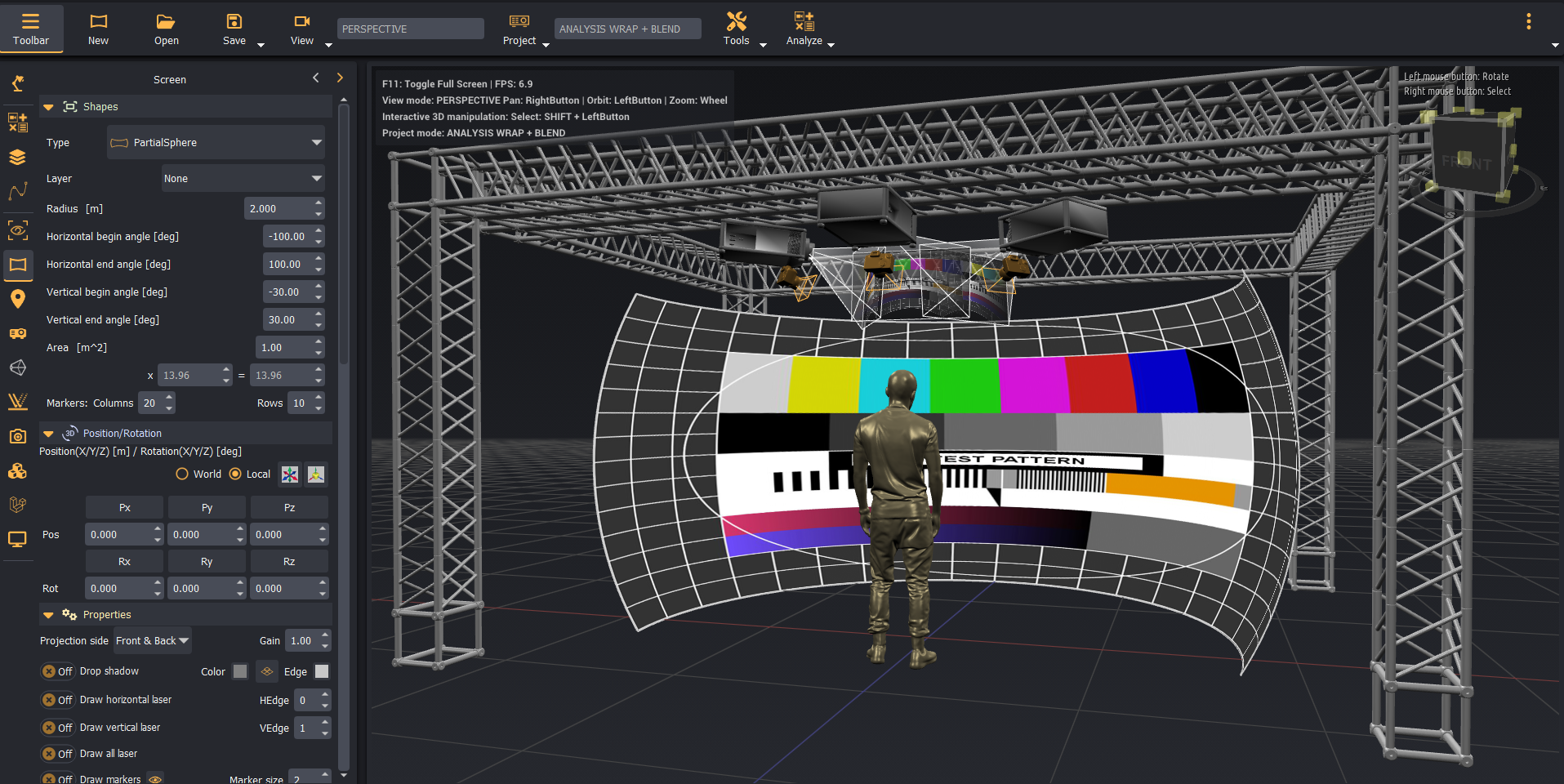
Creating a multi-projector immersive display or setting up a multi-LED panel system is far from straightforward. You'll need to address several crucial questions, with answers influenced by various factors:
- What type and size of projection screen should I select?
- Which projector specifications—type, resolution, throw ratio, contrast, etc.—are most suitable?
- Where should the projectors be positioned relative to the screen to ensure optimal resolution coverage and seamless edge blending?
- Will the projectors and screens fit within the available space?
- If objects like a cockpit are placed between the projectors and the screen, how will they cause shadowing or obstruct the projections?
These challenges aren't easily resolved or calculated manually. Curved projection screens, in particular, introduce complex image distortions that can't be accurately modeled with standard planar projection tools.
Immersive Designer PRO is the essential software solution for designing both single- and multi-projector setups on curved or flat screens. It’s a must-have for tackling these intricate design requirements effectively.
Key features
Immersive Designer PRO includes the following features:
| Feature | Description |
|---|---|
| 3D design | Comprehensive design and analysis modes for multi-projector and LED panel setups with instant visual feedback. |
| Quick-start projects | A number of example/reference projects for a quick start. |
| Screen shapes | Various screen types and shapes, including cylindrical (single-curved), dome-shaped (double-curved), and planar designs. |
| Built-in projector models | Built-in projector database including specifications from all major vendors. |
| Projectors | Add projectors to the 3D scene and define define its position, orientation, lens configuration, light output, resolution, etc. |
| Projector rigs and arrays | Create linear or circular projector rigs with automatic projector placements. |
| Built-in 3D models | Built-in database for the most common 3D models (persons, cockpits, cars, etc.). |
| Custom 3D models | Import 3D CAD models of custom screens and objects. |
| LED Panels | Flat and curved LED panel displays. |
| LED Arrays | Combine multiple LED panel displays in flat or curved horizontal & vertical arrays. |
| Image generators | Generate and split content for LED panel displays. |
| Cameras and Eyepoints | Observer and camera viewpoints to 'see' the scene from any position. |
| Measurement tool | Click-to-measure distances in 3D. |
| Annotations | Place text annotations anywhere in the 3D scene. |
| Truss system | Create a rigid structure using a flexible Truss construction kit. |
| Professional analysis | 15+ pixel-perfect analysis modules for projection/LED quality feedback. |
| PDF generator | Interactively create and generate professional PDF reports and presentations. |
| Content sources | Each display device (Projector, LED panel or Image generator) supports content sources from image files, local video, NDI and Spout. |
| VR preview | Experimental support for Oculis and OpenVR headsets to preview the 3D scene in VR |